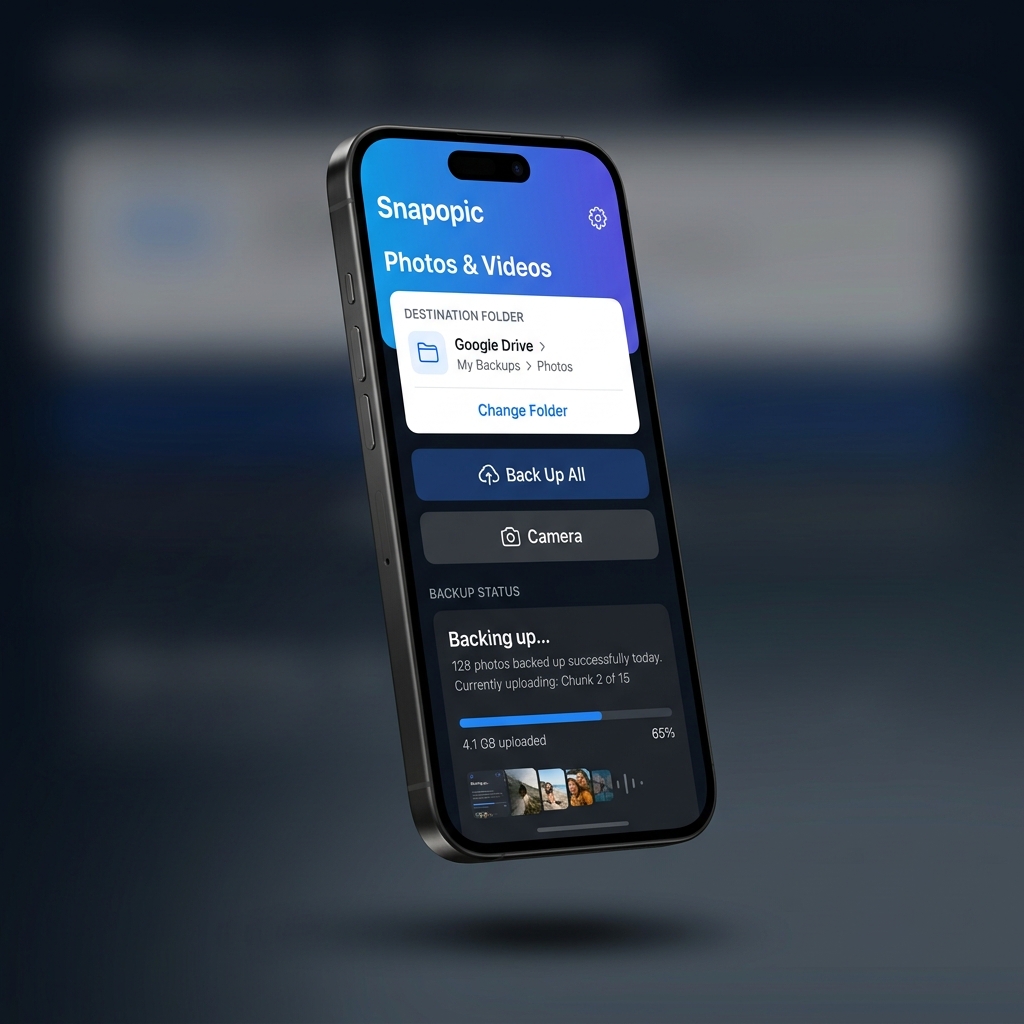
Now on iOS

Snap. Upload.
Done.

Back up your iPhone photo library to Google Drive or directly to any plugged-in USB Drive. No monthly subscriptions, no hassle.

Free USB Backups
EXIF Metadata Kept
Photos & Videos
Snapopic App Screenshot
324 photos backed up
Uploading Chunk 2/13

Everything your photos deserve

Built for people who care about their memories — and their storage.

Google Drive or USB

Select your Google Drive or plug in any iOS-compatible USB Drive. Tap "Back Up All" and walk away. Snapopic handles the rest efficiently.

Backup Gallery

Browse a visual grid of every item backed up to your Drive. See thumbnails and file sizes directly within the app.

Instant Restore

Accidentally deleted a photo? Restore any backed-up item from your cloud back to your iPhone gallery with one tap.

Secure & Private

OAuth 2.0 authentication directly with Google. We never see, store, or touch your credentials or private photos.

Multi-Account Support

Hit the 15 GB limit? Switch to a different Google account seamlessly and keep backing up without stopping.

Storage Optimization

Automatically clean up temporary cache and safely remove uploaded items from your device to reclaim space.

Three taps to peace of mind

1

Choose Cloud or Local

Select Google Drive or simply plug in any iOS-compatible USB Drive. If you choose USB, there is no need to sign in to Google at all!

2

Set Your Destination

Authenticate securely with Google for cloud storage, or quickly pick your preferred USB folder directly from the Files app.

3

Manage & Restore

Browse your cloud or local backup in the built-in gallery. View thumbnails and restore any photo to your device at any time.

Snapopic
Google Drive
USB / Local Folder

Got questions?

Is Snapopic really free?

Yes! Backing up to any attached USB Drive or local folder is completely free and unlimited forever. For Google Drive cloud backups, the app provides 500 free uploads, after which you have the option to upgrade to the Pro version for unlimited cloud syncing.

How do I use a USB Drive?

Just plug any compatible USB-C or Lightning thumb drive into your iPhone. Select "USB / Local Folder" in Snapopic, browse to your USB drive using the prompt, and we'll remember the location to directly copy your photos skipping the cloud entirely.

Does it compress my photos?

No. Snapopic copies the raw original bytes of every photo and video. Zero compression, zero quality loss. Your originals land on Drive or USB exactly as they are on your phone.

What happens when I hit the Google Drive limit?

If you're using the free tier for Google Drive, the app will cleanly pause your backup once 500 items are reached. You can then continue completely free by moving to a USB Drive, or purchase the Pro upgrade.

Can I delete photos from my phone after backup?

Yes! Snapopic has a built-in "Clean Gallery" button that safely removes only the photos that have been successfully uploaded to Drive or USB, freeing up your device storage.

Ready to free your storage?

Download Snapopic and back up your entire photo library in minutes — not hours.

Download for iOS